
Why Use WebCodecs?
WebCodecs enables low-level video processing in the browser, with native or near-native level encoding and decoding performance.
This enables web application developers to develop high-performance video applications that were previously either the domain of desktop software, or which required server-side video processing.
A few common examples of types of applications where WebCodecs would be relevant:
- Browser based video editing software (like Diffusion Studio or Clipchamp)
- Streaming media to/from browser with more control than WebRTC (e.g. Media Over Quic)
- Generating videos programatically in the browser (e.g. Remotion)
- Video utilities to convert or enhance videos in the browser
While WebCodecs would almost certainly enable entirely new use cases, there is a lot of value in simply developing applications that fit in existing video software categories as client-side web-applications via WebCodecs, instead of as desktop software or server-side software.
Presuming you have or plan to build some form of application which does video processing, the question of “Why Webcodecs” comes down to the advantages/disadvantages of client-side video processing in the browser, compared to the other main options of (1) Desktop app with local processing (2) Web-app with server-side processing.
Versus Desktop
Section titled “Versus Desktop”If you were to, say, build a Video Editing tool or a Video Enhancement tool, you could build a desktop app (the traditional) way or as a web-app with WebCodecs, however compared to desktop software, WebCodecs has a few key advantages:
- No installation or configuration necessary, leading to lower friction and a smoother user journey
- Easier access to a rich ecosystem of frontend libraries, enabling faster development and better UX/Design
It’s not to say that the web is a perfect medium, there are downsides such as file management, whereas desktop software by default has full access to the file system enabling reading/detecting of video files, and saving of exported videos to your file system without asking for permission, browsers inherently operate with more stringent security and so for a web-app to gain read or write access to a specific directory, the user needs to grant explicit permissions via the FileSystem API
Versus Server-side Processing
Section titled “Versus Server-side Processing”You could also build an application using server-side processing and a web-application frontend for the same kinds of tools. Compared to server-side processing, you wouldn’t get much of a UX benefit as your interface would primarily be for web, however with WebCodecs you have a key advantage
- No server-side costs
I can’t provide specifics for other companies, however having worked for companies like Streamyard (browser-based live streaming tool), I know that server-side video processing was one of the biggest costs, and when it came time to build my own video editing software I chose to implement in WebCodecs to enable trivially low operating costs even at scale.
WebCodecs is the best of both worlds
Section titled “WebCodecs is the best of both worlds”Webcodecs provides the best of both worlds, the simplicity of web-applications, with the cost-effectiveness of locally run software, and I’ll provide an example where the same application could have been built as a desktop tool, a server-side tool or a WebCodecs tool, and where the WebCodecs tool is obviously better.
Let’s say someone gave you a WebM file and you needed to convert it to an MP4.
The Desktop option:
Previously, you could download software like Handbrake
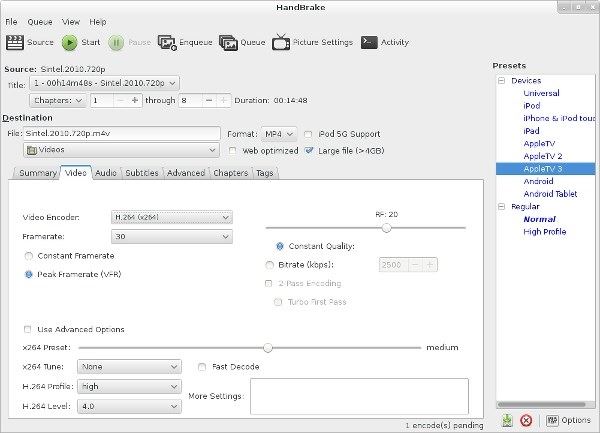
Handbrake is great that it’s free and open source, but it does require (1) installation and configuration (2) knowledge of web codecs and ‘what you are doing’, and the interface is dated.
Server Option:
If you search “Convert WebM to MP4”, many search engines will show results like Free Convert but, because the service is server based, they (1) Have strict limits, (2) often have advertising to compensate for server-costs.
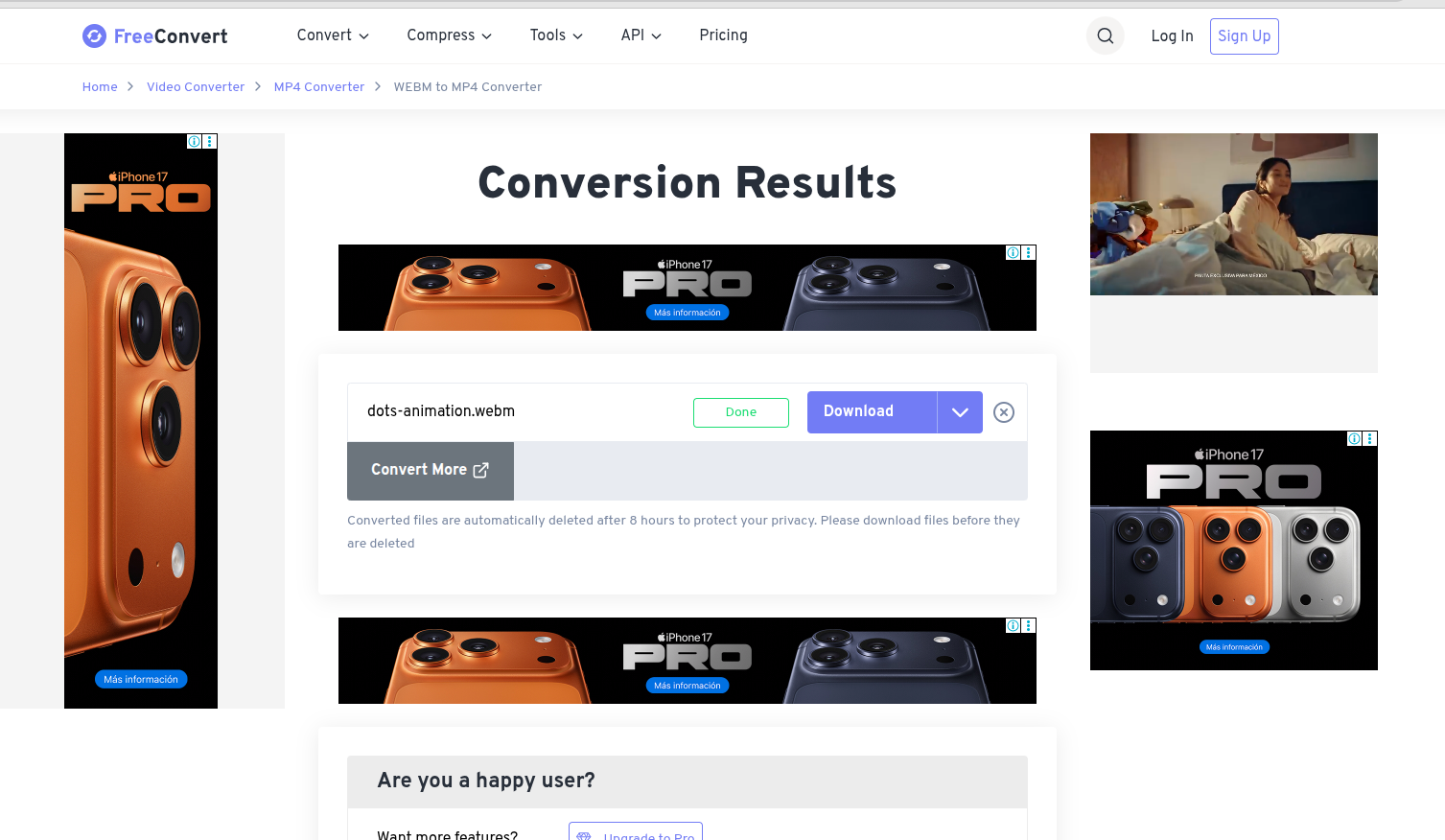
WebCodecs option:
Compared to both, consider Remotion convert, a simple webcodecs based video conversion tool. There is nothing to install, it has no ads, it has a great UI/UX and it just works.

By combining the best of both worlds, WebCodecs enables building video experiences that are simple to use, good quality and essentially free to operate.
What WebCodecs replaces
Section titled “What WebCodecs replaces”Some developers had realized the potential of client-side video processing before Browser vendors even came up with WebCodecs. Previously many tools used ffmpeg.js, a port of ffmpeg to the browser, and run via Web Assembly, to handle video decoding in the browser.
Because these were ‘hacks’, that also didn’t take full advantage of hardware encoding/decoding, the performance was much worse than WebCodecs, and so WebCodecs was conceived in part to give developers an official, high-performance option to do what many were already doing via cumbersome workarounds.